


Snaptubè MP3 MP4 Downloader
4.538.00 Reviews
App Specs
- Version
- 9.0
- Updated On
- License
- Free
- Downloads
- 1,000,000+
- Developer
- SFB Apps Solutions
- Categories
- Video Players & Editors
- Platform
- Android
Screenshots
 Analysis by AppCompare
I approach Snaptubè MP3 MP4 Downloader as a practical tool for people who want copies of music or video available on their device, rather than another place to stream them. That distinction matters: a downloader is useful when you have a legitimate reason to save a file for offline listening or viewing, but it is not automatically a replacement for a streaming service, a licensed music library, or a video editor. My overall view is that it is aimed at Android users who value format choice and direct access, and who are comfortable checking that each download is permitted by the source.
Using Snaptubè day to day
I find that the best way to judge Snaptubè in everyday use is to give each saved file a clear purpose: a permitted track for a commute, or a video for a place where reception is unreliable. That keeps format and storage choices practical instead of automatic. From there, the next thing I would weigh is whether the app’s current release and installation route still fit the way I want to manage downloads.
What the current version offers
This is a free video and media downloading app from SFB Apps Solutions. Its current release is version 9.0, and it has been available since June 15, 2018. The app is rated for Everyone and requires Android 7.0 or later. Its average rating is 4.5 from around 8.7 thousand ratings, and it has more than a million installs. Those figures suggest a widely used utility, though popularity alone cannot tell you whether its approach suits your habits.
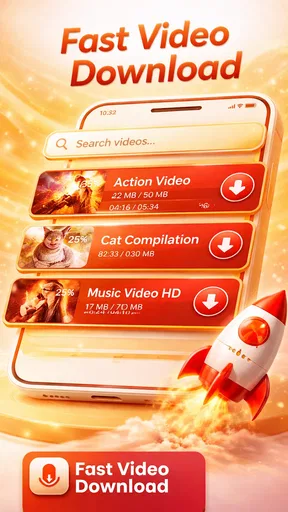
The basic appeal is straightforward: find media, choose a format or resolution, then keep a file on your phone. In practice, the most useful question is not simply whether you can download something, but whether the resulting file fits the way you plan to use it. An audio file makes sense for listening without video; a smaller video can be more sensible when storage or mobile data is tight. I would decide that before starting a batch of downloads, rather than saving everything in the largest available format by default.
Where it fits beside streaming apps
Compared with a standard streaming app, a downloader puts more responsibility on you. Streaming services typically handle playback, recommendations, and access inside their own libraries; a downloader is more about creating files that you can manage locally. That can be handy for a commute or a trip where connectivity is unreliable, but it also means you need to keep track of what you saved and make sure it remains playable in the format you chose.
I would not use it as my first choice for discovering new music or keeping a carefully synchronized library across several devices. A dedicated music service is generally a better fit for those routines. Snaptubè makes more sense when you already know what you want, want an offline copy, and are willing to make a few choices about format, quality, and storage yourself.
A workflow that avoids clutter
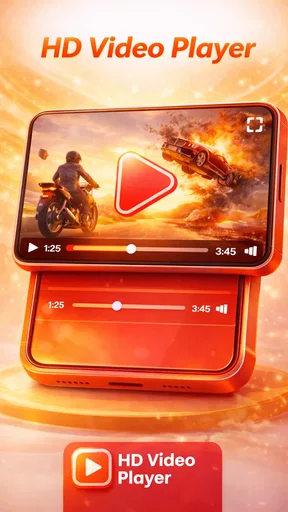
One useful habit is to treat the download area as a temporary inbox rather than a permanent archive. I would preview a file in the built-in player, check that it is the right clip or track, and then decide whether to keep it. That small check can prevent near-duplicate files and mistaken downloads from quietly filling a phone. It also makes the preview feature more than a convenience: it becomes a quick quality-control step before you organize anything elsewhere.
Worth Reading Before You Choose

EA SPORTS FC Mobile 26 Is a Bigger Football Game, but It Takes Time

Flipboard Shows What News Apps Must Do Beyond the Feed

Switching to Android Auto Means Rethinking Your Driving Routine

Google Calendar Makes a Crowded Week Easier to Manage

Ludo King Makes the Most of the Minutes Between Plans

Baby Panda World Brings Quick Play to Modern Phones, but Its Game Library Feels Busy
For a long journey, I would prepare while connected to a dependable network, choose compact audio or video options where high fidelity is not essential, and open a sample before leaving. This is a more reliable routine than starting downloads at the station and assuming every file will finish in time. Stable connectivity matters, and the app’s performance can be affected when the connection is weak or interrupted.
Permissions, sources, and sensible expectations
Because this app is not distributed through the Play Store, installing it calls for more care than installing an ordinary store app. The original review describes obtaining it from its official site and enabling installation from unknown sources. I would take time to confirm that I am using the developer’s genuine distribution channel, avoid lookalike download pages, and turn off permission for unknown-source installs again when I no longer need it. This is not a reason to panic, but it is a meaningful trade-off for anyone who prefers the safeguards and update flow of a mainstream app store.
There is also a separate question of permission to save media. Being able to access a source does not necessarily mean that every clip or track may be copied. I would stick to material I own, material offered for download, or content for which I have permission, and follow the source’s terms. If your main goal is a licensed offline library with clear playback rights, the offline feature in a reputable streaming service is likely the simpler option.
Who is likely to get the most from it
I can see this working best for someone who uses an Android phone, already has specific media in mind, and values choosing between audio and video formats. The listed minimum operating system is Android 7.0, so it is not aimed at older Android devices. Someone who mainly streams, rarely runs out of coverage, or wants a polished library that syncs automatically may find a conventional media service less fiddly.
For example, imagine getting ready for a train ride and wanting a few permitted clips and music files available without relying on the station connection. I would pick the items at home, select formats that fit the phone’s remaining storage, preview the finished files, and remove anything I do not actually need afterward. That gives the app a clear job without turning it into a catch-all archive.
Getting Started with Snaptubè
First things first, downloading and setting up Snaptubè MP3 MP4 Downloader is a breeze. I found it on their official site, and within a few taps, I was ready to roll. The app is available for Android, and while it's not on the Play Store, the installation process is straightforward. Just make sure you allow installations from unknown sources in your settings.
Interface and Usability
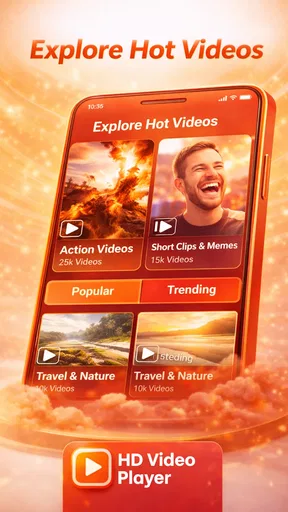
Once I launched the app, I was greeted with a clean and intuitive interface. It's like walking into a well-organized library where everything is easy to find. The search bar is prominently placed, making it effortless to find the content you want. Whether it's the latest chart-topping song or a viral video, Snaptubè has got you covered.
The navigation is smooth, and I didn't encounter any annoying lags. There are simple tabs for music, videos, and downloads, so you can switch between them without any hassle. It's designed for ease of use, and frankly, it nails it.
Features to Love
One of the standout features of Snaptubè is its multi-platform support. You can download content from a plethora of sources, including YouTube, Facebook, Instagram, and more. I was pleasantly surprised by the app's capability to handle such a variety of platforms.
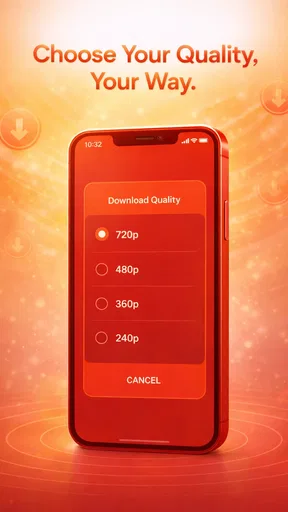
Another cool feature is the ability to choose your desired resolution and format. Whether you're after high-quality HD videos or compact MP3 files for your playlist, Snaptubè lets you decide. This flexibility is a game-changer, especially if you're managing your device's storage.
Performance and Reliability
Now, let's talk about performance. Over the past few days, I've been putting Snaptubè through its paces, and it's held up remarkably well. Downloads are swift, and the app rarely crashes, which is a huge plus in my book. I did notice it works best with a stable internet connection, so keep that in mind if you're on the go.
The app also has a built-in player for previewing downloads, which is a neat touch. You can check your files before saving them to ensure you've got the right content. It's little details like this that enhance the overall user experience.
Room for Improvement
No app is perfect, and Snaptubè is no exception. While it's packed with features, the ads can be a bit intrusive at times. They pop up unexpectedly, which can be annoying when you're in the middle of something. An ad-free version would be a welcome addition for those who want uninterrupted usage.
Another thing to mention is the lack of availability on the iOS platform. As an Android user, this wasn't a dealbreaker for me, but it's something to consider if you switch between devices.
Keeping an existing collection manageable
If you already have a crowded phone, I would be selective about what I save rather than treating every available file as a must-have. Video takes up more room than audio, and choosing a lower resolution for casual viewing can make a collection easier to carry around. I would also use plain, recognizable file names where the app or source allows it, so a saved clip is easier to identify later than a string of vague titles.
Another practical trade-off is quality versus convenience. A high-resolution file can look better on a larger screen, but on a phone used mainly for quick viewing, the extra size may not earn its place. For spoken material or background listening, audio may be all you need. Thinking about the actual playback situation before downloading helps avoid spending storage on quality you will not notice.
Questions worth considering before installing
Does it work on iPhone? The experience described here is for Android, and the app is not available on iOS. If you switch between an iPhone and an Android device, do not expect a shared download library or the same workflow on both. An iOS user should look for an option distributed through Apple’s ecosystem instead.
Can it replace a music subscription? Not for everyone. It can be useful for saving eligible files you have chosen, but it does not offer the same managed catalog and listening experience as a licensed streaming service. If effortless discovery, playlists that follow you between devices, and clear offline access are priorities, a subscription service is the more natural choice.
Is setup as simple as a Play Store install? The steps can be quick, but the source matters. Since installation is outside the Play Store, I would verify the distribution page carefully and be deliberate about allowing unknown-source installation. Anyone who is not comfortable with that extra step should choose an app from their device’s official store.
What I would watch in future use
Version 9.0 is the current release, but a version number by itself does not tell me which changes were made between releases. I would judge future updates by practical signs: whether the app remains compatible with the Android version on my phone, whether its source access continues to work, and whether downloads and playback remain dependable. Those are the changes an existing user is most likely to feel, rather than a higher version number alone.
I would also keep an eye on how intrusive the advertising feels during ordinary use and whether the installation route remains clear and trustworthy. Those are the two areas most likely to affect my comfort with a downloader over time. If either becomes a persistent obstacle, or if I need reliable cross-device syncing, I would move that part of my routine to a mainstream media service rather than forcing this app to do a job it is not designed for.
Final Thoughts
All in all, Snaptubè MP3 MP4 Downloader is a solid choice for anyone looking to expand their media library. Its ease of use, diverse platform support, and customizable download options make it a standout in the crowded field of downloader apps.
While it has its quirks, like the occasional ad intrusion, the overall experience is quite satisfying. If you're an Android user who's tired of buffering and wants to enjoy content offline, give Snaptubè a shot. It's worth the download, and who knows, it might just become your go-to media tool!
Pros
- Fast download speeds for media files.
- Supports a wide range of video platforms.
- User-friendly interface for easy navigation.
- Option to choose video quality before downloading.
- No intrusive ads for a smoother experience.
Cons
- Not available on official app stores.
- Potential copyright issues with content.
- Requires manual updates for new features.
- Limited support for audio-only platforms.
- Occasional bugs in the download process.
FAQs for Snaptubè MP3 MP4 Downloader
Is Snaptubè MP3 MP4 Downloader free to use?
Yes, Snaptubè MP3 MP4 Downloader is free to download and use. However, it may contain in-app advertisements to support its development. Users should also be aware of any data charges from downloading media, depending on their internet plan.
Is Snaptubè MP3 MP4 Downloader safe to install on my device?
Snaptubè MP3 MP4 Downloader is generally safe if downloaded from a reputable source. Ensure you have antivirus software active on your device to scan for any potential threats. Always download apps from official websites or trusted app stores.
What file formats does Snaptubè MP3 MP4 Downloader support?
Snaptubè MP3 MP4 Downloader supports a variety of file formats including MP3 for audio and MP4 for video. This makes it versatile for users who want to enjoy media on different devices and players without the hassle of conversion.
Can I download videos from all video platforms with Snaptubè?
While Snaptubè MP3 MP4 Downloader supports many popular platforms, it may not work with all due to restrictions set by the platforms themselves. Always check the app's compatibility with your desired platform and respect copyright laws.
Does Snaptubè require an internet connection to function?
Yes, Snaptubè MP3 MP4 Downloader requires an internet connection to search and download media content. However, once downloaded, you can enjoy the media offline without needing an internet connection.


